Terrain · Select a property, draw a box or polygon, or upload a boundary
Cut and fill calculator for New Zealand building platforms
Most cut and fill calculators make you type in the depths yourself. This one reads the existing ground for you: draw the platform on the map, anywhere in New Zealand, and it measures the ground under every square metre from the LINZ 1 m LiDAR model, then works out the earthworks volume to level it at a height you set, or at the height where cut and fill balance.
Use it to size the earthworks for a building platform before getting quotes, to compare platform heights, or to sense-check a quote. The volumes are bank cubic metres with no batters, topsoil strip or bulking, so real quantities run higher; the limits below spell out what is left out.
Free to run · pay to download
See the full result on the map free, with no account. Download the cut and fill depth grid as a GeoTIFF with a pass: NZ$49 for 7 days or NZ$299 for 12 months, one-off, GST included, not a subscription. Every download on the site is included while the pass lasts.
Who uses this
- Earthmoving contractors. Sanity-check a quote, or price a job before the site visit.
- Section owners and self-builders. Know whether the platform is a 50 m³ job or a 500 m³ job before asking for quotes.
- Architects and designers. Compare platform heights at concept stage to minimise cart-away.
When to use it
- Sizing the earthworks for a house platform, a shed pad or a hardstand before getting quotes.
- Comparing candidate platform heights to minimise trucking.
Which tool for your job
Cut & Fill is one step in a bigger question. These are the jobs it helps with, and the tools that go with it.
If you’re working on choosing a house site
Where on this block should the house go?
- 1.Find Matching Areas — Narrows the block to the patches that are flat, sunny and facing the right way.
- 2.Slope & Aspect — Shows where the ground is easy to build on and where retaining will be needed.
- 3.Sunlight — Checks winter sun on the candidate platform, hour by hour.
- 4.Cut & Fill (this tool) — Estimates the earthworks to level the platform before you ask for quotes.
- 5.Viewshed — Shows what the house will see and who will see it.
If you’re working on earthworks, driveways and tracks
How much digging, and can a driveway or farm track make the grade?
- 1.Cut & Fill (this tool) — Cut and fill volumes to level a pad, at a height you set or the one that balances.
- 2.Elevation Profile — Gradient along a proposed driveway, section by section.
- 3.Route Explorer — Finds a line between two points that stays under a maximum grade.
- 4.Contour Lines — Site contours at 0.5 m or finer to hand to a designer.
How to use it
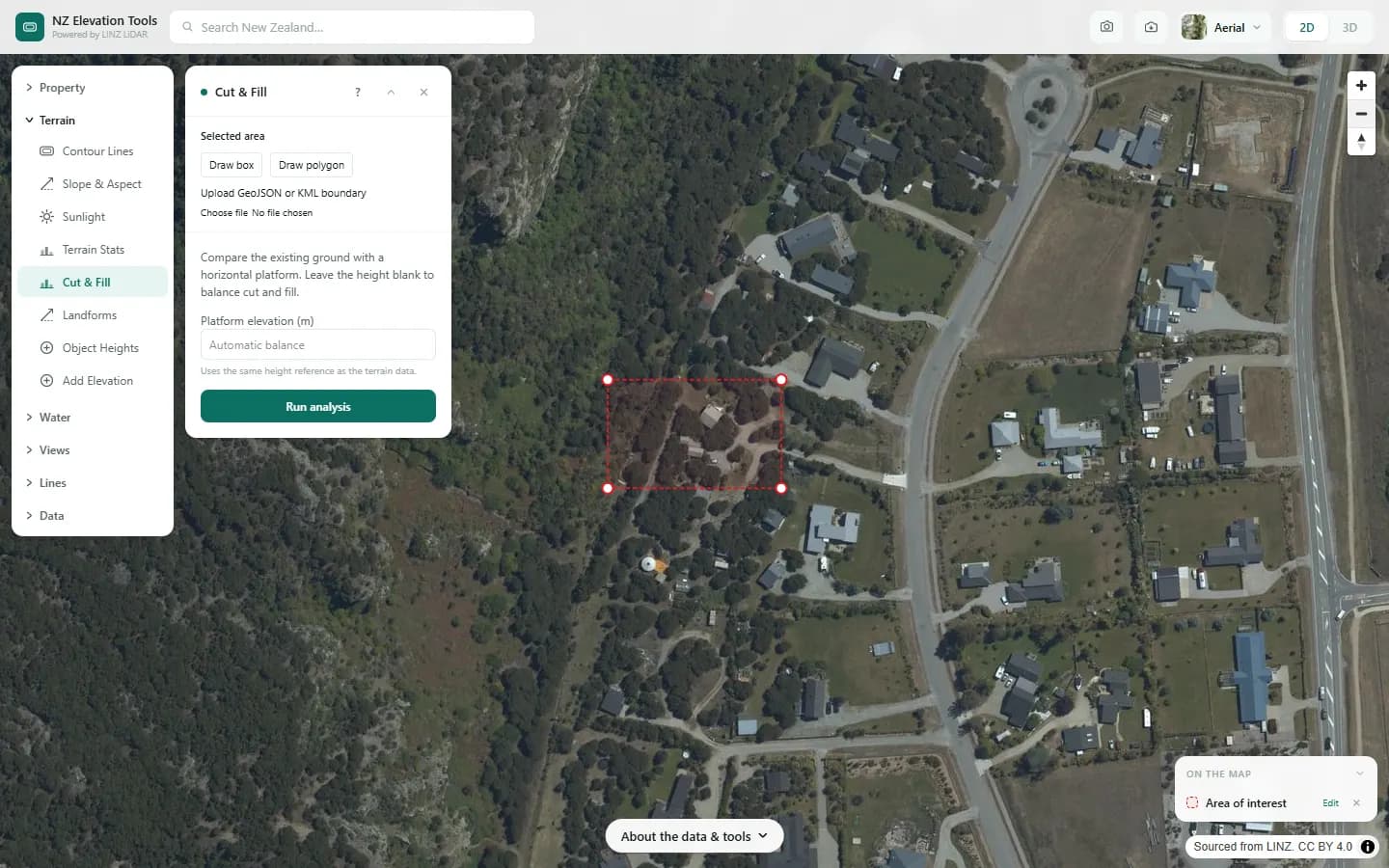
- Select or draw the platform outline. Keep it to the pad itself, not the whole property.
- Enter a platform elevation, or leave it blank to have the tool find the balancing height.
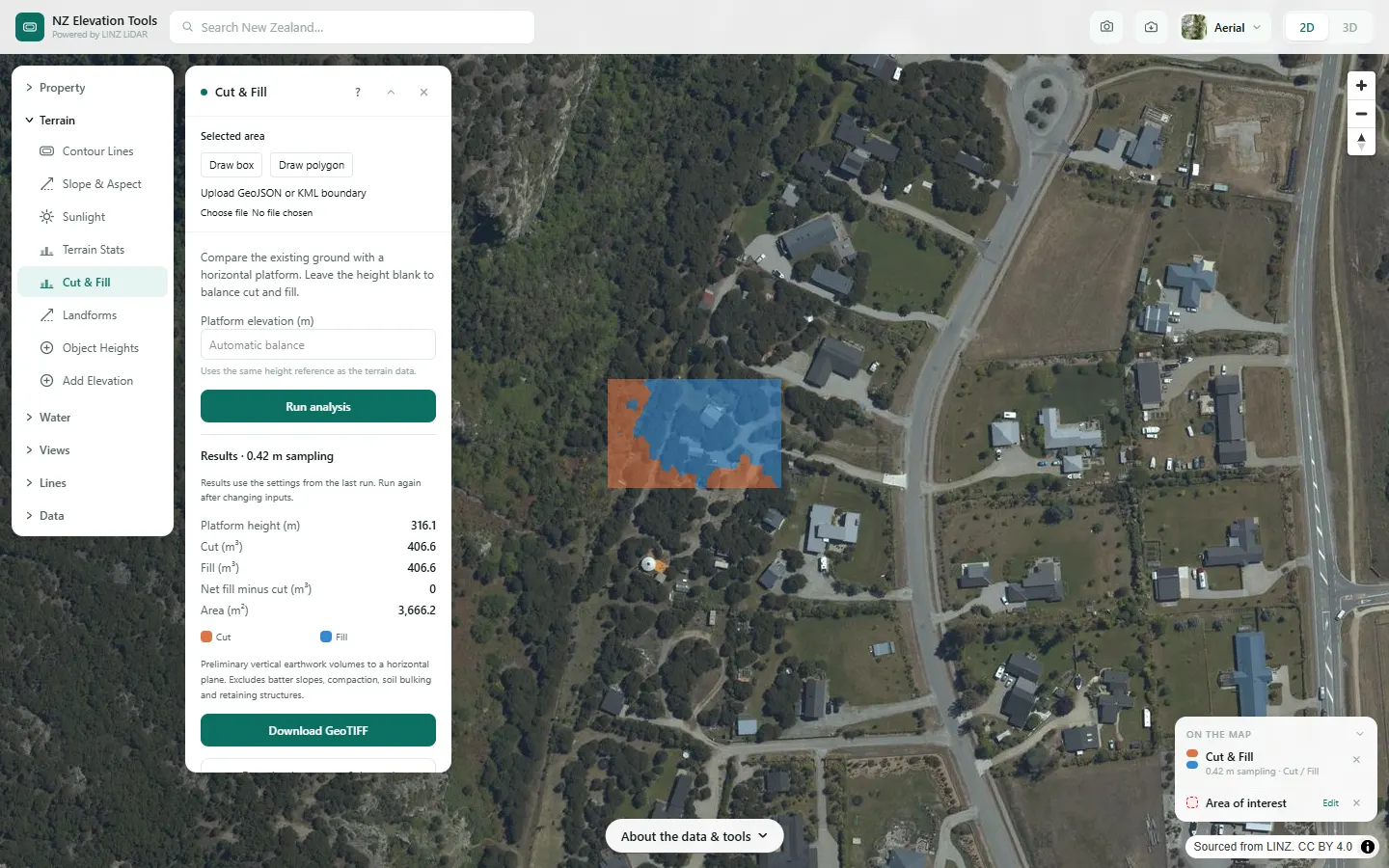
- Run. The map shows cut in orange and fill in blue; the panel gives the volumes.
Step by step: Mt Iron, Wānaka
We size the earthworks for a level pad on a gentle slope at the foot of Mt Iron.
What it showed
- Balanced cut and fill means no trucking material in or out. Type a platform height to see what raising or lowering the pad costs.
- These are in-ground volumes to a flat plane. Batters, topsoil stripping, bulking and retaining all add to the real number.
Screenshots from NZ Elevation Tools. Aerial imagery from LINZ Basemaps. Sourced from the LINZ Data Service and licensed by Environment Southland, Otago Regional Council and Queenstown-Lakes District Council for re-use under the Creative Commons Attribution 4.0 International licence.
How it works
For each cell the difference between the existing ground and the platform height is multiplied by the cell area. Ground above the platform counts as cut, ground below as fill. Balancing searches for the height where the two totals are equal.
Reading the results
Volumes are bank, or in-ground, cubic metres of vertical difference only.
Net fill minus cut tells you whether material has to be imported or carted away.
Limits and warnings
- No batter slopes at the edges, no topsoil strip, no compaction or bulking factors, no retaining. Real quantities are usually higher.
- The platform is perfectly horizontal. Sloping pads and terraces are not modelled.
- Where 1 m LiDAR has not been flown the tool falls back to the national 8 m elevation model, and the result says what share came from the fallback. The 8 m model was interpolated from 20 m map contours and is not fit for site-scale decisions.
Data and attribution
Results come from the LINZ national 1 m LiDAR bare-earth elevation model, read in your browser, with the national 8 m model filling any gaps. Tools that use the surface model (Sunlight, Viewshed, Object Heights) read the matching LiDAR surface tiles.
Elevation and cadastral data is sourced from the LINZ Data Service and licensed for re-use under the Creative Commons Attribution 4.0 International licence. Copyright in each LiDAR survey belongs to the body that commissioned it — a regional or district council, Waka Kotahi, NIWA and around thirty others — rather than to LINZ, which hosts and processes the national dataset. Every file exported from this site names the licensors whose surveys cover the area, and anything you publish from those files carries the same attribution requirement. See https://www.linz.govt.nz/products-services/data/licensing-and-using-data/attributing-elevation-or-aerial-imagery-data
Questions
How accurate is a LiDAR cut and fill estimate?
It is as good as the LiDAR survey and its date. On open ground the model follows the real surface closely; under dense scrub, on ground worked since the capture, or where the site has been built on, it will not. Batters, topsoil strip, bulking and compaction are not included. Treat the result as a first estimate; contract quantities need a surveyed level.
Can it find the balance point?
Yes. Leave the platform elevation blank and the tool searches for the height where cut equals fill, which is usually the cheapest level because nothing has to be trucked in or out.
Do I need resource consent for these earthworks?
Councils set earthworks thresholds by volume and area, and they differ between district plans. Use the volumes here to check against your council's rules; the tool itself does not know them.
Ready to try it?
Open Cut & Fill on the map →Free to use, no account. Runs in your browser on LINZ open data. Downloading the results needs a pass: see prices.