Terrain · Select a property, draw a box or polygon, or upload a boundary
Slope map: how steep is my section?
This slope map shows how steep every part of a New Zealand section is, from the LINZ 1 m LiDAR model, and which way each face points. The panel breaks the site into slope classes, so "how steep is my section" gets a number instead of a guess.
Slope decides whether a site is easy to build on, where retaining and cut and fill will be needed, and whether a council will ask for geotechnical input. Aspect decides how much winter sun the ground gets.
Free to run · pay to download
See the full result on the map free, with no account. Download the slope or aspect grid as a GeoTIFF with a pass: NZ$49 for 7 days or NZ$299 for 12 months, one-off, GST included, not a subscription. Every download on the site is included while the pass lasts.
Who uses this
- Buyers. Know how much of a section is actually buildable before making an offer.
- Architects and consent applicants. Describe the site slope for a design brief or a consent conversation.
- Farmers and growers. Find the faces too steep for machinery or prone to erosion.
When to use it
- Checking whether a site is buildable and where earthworks or retaining will be needed.
- Assessing pasture, orchard or vineyard ground for sun and machinery access.
- Answering a building consent or resource consent question about slope.
Which tool for your job
Slope & Aspect is one step in a bigger question. These are the jobs it helps with, and the tools that go with it.
If you’re working on solar panels and sun
Where will panels, a glasshouse or a deck get the most sun?
- 1.Sunlight — Hours of direct sun on any date, with terrain shadows from up to 3 km away. Start with the shortest day.
- 2.Slope & Aspect (this tool) — The aspect view shows which faces point north, and the slope view how steep the mounting ground is.
- 3.Find Matching Areas — Highlights the ground that is flat enough, faces the right way and clears a minimum of winter sun, all at once.
- 4.Object Heights — Tree and building heights, to spot shelterbelts that will shade the array.
If you’re working on choosing a house site
Where on this block should the house go?
- 1.Find Matching Areas — Narrows the block to the patches that are flat, sunny and facing the right way.
- 2.Slope & Aspect (this tool) — Shows where the ground is easy to build on and where retaining will be needed.
- 3.Sunlight — Checks winter sun on the candidate platform, hour by hour.
- 4.Cut & Fill — Estimates the earthworks to level the platform before you ask for quotes.
- 5.Viewshed — Shows what the house will see and who will see it.
If you’re working on farming, orchards and planting
Which ground suits which use?
- 1.Slope & Aspect (this tool) — Machinery limits and erosion-prone faces.
- 2.Sunlight — Frost pockets and shaded faces in winter.
- 3.Wetness Map — Wet-tolerant planting in the blue, drought-tolerant on the tan.
- 4.Landforms — Exposed ridges, sheltered hollows and well-drained spurs.
How to use it
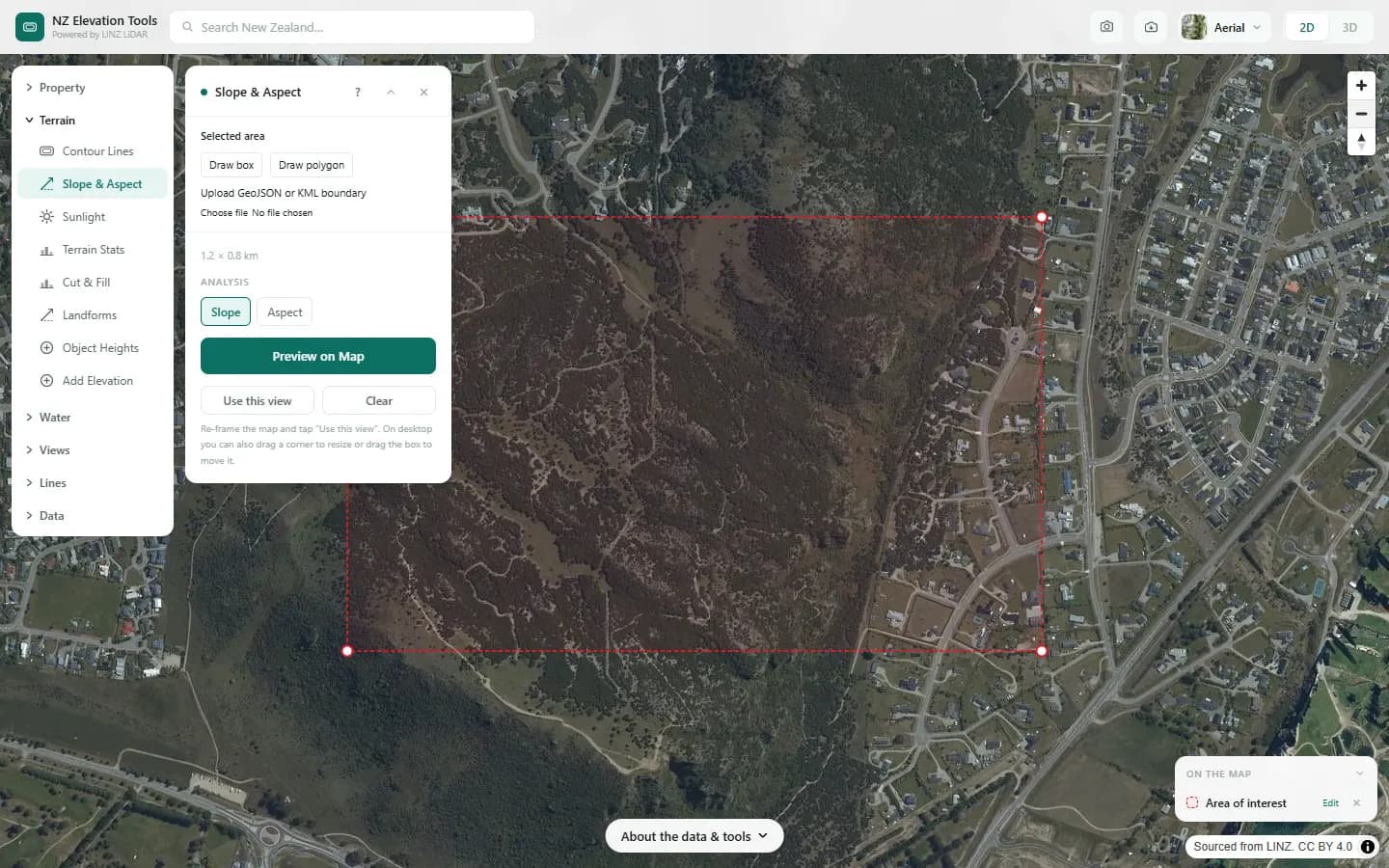
- Select a property, draw an area or upload a boundary.
- Run the analysis. Switch between the Slope and Aspect views in the panel.
- Read the class breakdown in the panel, or download the slope or aspect grid as a GeoTIFF for GIS. Downloading needs a pass.
Step by step: Mt Iron, Wānaka
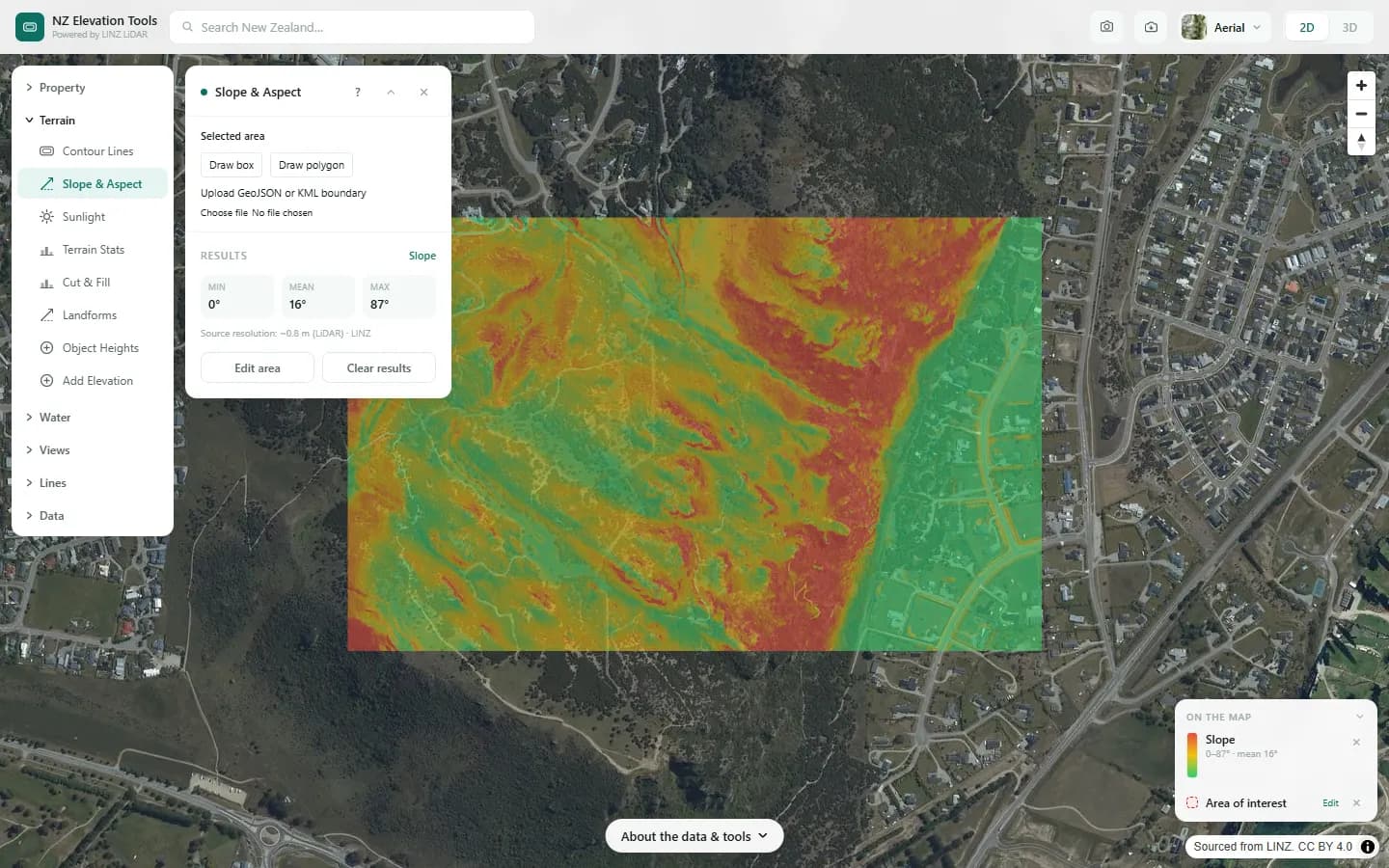
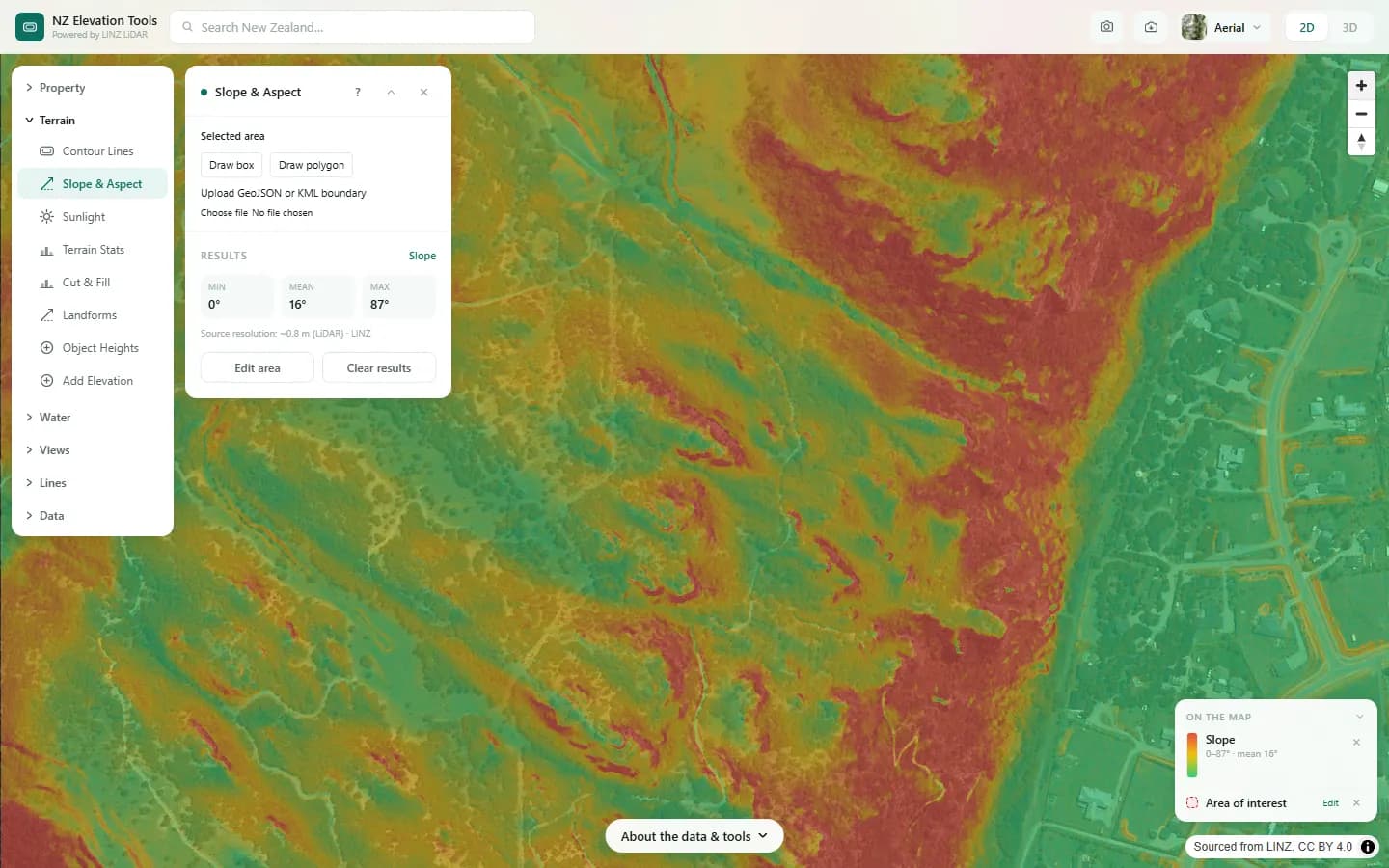
We map slope across Mt Iron and the suburbs around it.
What it showed
- Under 10° is easy building ground; 10–20° usually means cut and fill or a split-level house; over 25° calls for geotechnical advice.
- Switch to the aspect view to see which faces point north.
Screenshots from NZ Elevation Tools. Aerial imagery from LINZ Basemaps. Sourced from the LINZ Data Service and licensed by Environment Southland, Otago Regional Council and Queenstown-Lakes District Council for re-use under the Creative Commons Attribution 4.0 International licence.
How it works
For every terrain cell the tool fits a plane through the eight surrounding cells of the 1 m LiDAR bare-earth model. The tilt of that plane is the slope, in degrees; the downhill direction is the aspect, as a compass bearing.
Slope classes and aspect sectors are then tallied as shares of the analysed area.
Reading the results
Under 10 degrees is generally easy building ground. Ten to 20 degrees usually means cut and fill or a split-level design. Over 25 degrees expect geotechnical input.
The flat share is ground too level to have a meaningful aspect, and is reported separately.
North-facing slopes get the most winter sun in New Zealand; south-facing slopes the least.
Limits and warnings
- Areas up to 12 km across; large areas are sampled more coarsely, which smooths out short steep banks.
- Where 1 m LiDAR has not been flown the tool falls back to the national 8 m elevation model, and the result says what share came from the fallback. The 8 m model was interpolated from 20 m map contours and is not fit for site-scale decisions.
- Slope is of the bare ground. Retaining walls, buildings and vegetation are stripped out of the elevation model.
Data and attribution
Results come from the LINZ national 1 m LiDAR bare-earth elevation model, read in your browser, with the national 8 m model filling any gaps. Tools that use the surface model (Sunlight, Viewshed, Object Heights) read the matching LiDAR surface tiles.
Elevation and cadastral data is sourced from the LINZ Data Service and licensed for re-use under the Creative Commons Attribution 4.0 International licence. Copyright in each LiDAR survey belongs to the body that commissioned it — a regional or district council, Waka Kotahi, NIWA and around thirty others — rather than to LINZ, which hosts and processes the national dataset. Every file exported from this site names the licensors whose surveys cover the area, and anything you publish from those files carries the same attribution requirement. See https://www.linz.govt.nz/products-services/data/licensing-and-using-data/attributing-elevation-or-aerial-imagery-data
Questions
What slope is too steep to build on in NZ?
As a rough guide, under 10° is easy building ground, 10–20° usually means cut and fill or a split-level design, and over 25° expect a geotechnical report. Your council's district plan and building consent requirements set the actual rules.
Can I use this slope map for a building consent?
It helps you understand the site and brief a designer. Most councils want slope shown on surveyed plans for the consent itself.
Can I download the slope map?
Yes. The slope or aspect grid downloads as a GeoTIFF for QGIS, ArcGIS or any GIS, with slope in degrees or aspect as a compass bearing in every cell. Running the analysis and saving a PNG of the view are free; the GeoTIFF needs a pass.
Ready to try it?
Open Slope & Aspect on the map →Free to use, no account. Runs in your browser on LINZ open data. Downloading the results needs a pass: see prices.