Terrain · Select a property, draw a box or polygon, or upload a boundary
Winter sun hours on any New Zealand section
See the winter sun hours on a New Zealand section before you buy or build. The tool traces the sun across any day of the year, half an hour at a time, and checks whether terrain up to 3 km away, and optionally the trees and buildings in the LiDAR surface model, block it.
The shortest day, 21 June, is the test that matters for a house site: a section can look sunny in a February viewing and lose the sun behind a ridge by 2 pm in winter.
Free to run · pay to download
See the full result on the map free, with no account. Download the sun-hours grid as a GeoTIFF with a pass: NZ$49 for 7 days or NZ$299 for 12 months, one-off, GST included, not a subscription. Every download on the site is included while the pass lasts.
Who uses this
- Buyers. Check winter sun on a section before an open home in summer fools them.
- Architects. Place living areas, decks and glazing where the winter sun actually reaches.
- Growers and solar installers. Find frost pockets and the ground that stays lit in June.
When to use it
- Checking winter sun on a house site, a deck or a garden before you buy or build.
- Comparing sunny and shaded parts of a block for planting or stock.
- Seeing when the sun first reaches a valley floor and when it leaves.
Which tool for your job
Sunlight is one step in a bigger question. These are the jobs it helps with, and the tools that go with it.
If you’re working on solar panels and sun
Where will panels, a glasshouse or a deck get the most sun?
- 1.Sunlight (this tool) — Hours of direct sun on any date, with terrain shadows from up to 3 km away. Start with the shortest day.
- 2.Slope & Aspect — The aspect view shows which faces point north, and the slope view how steep the mounting ground is.
- 3.Find Matching Areas — Highlights the ground that is flat enough, faces the right way and clears a minimum of winter sun, all at once.
- 4.Object Heights — Tree and building heights, to spot shelterbelts that will shade the array.
If you’re working on choosing a house site
Where on this block should the house go?
- 1.Find Matching Areas — Narrows the block to the patches that are flat, sunny and facing the right way.
- 2.Slope & Aspect — Shows where the ground is easy to build on and where retaining will be needed.
- 3.Sunlight (this tool) — Checks winter sun on the candidate platform, hour by hour.
- 4.Cut & Fill — Estimates the earthworks to level the platform before you ask for quotes.
- 5.Viewshed — Shows what the house will see and who will see it.
If you’re working on farming, orchards and planting
Which ground suits which use?
- 1.Slope & Aspect — Machinery limits and erosion-prone faces.
- 2.Sunlight (this tool) — Frost pockets and shaded faces in winter.
- 3.Wetness Map — Wet-tolerant planting in the blue, drought-tolerant on the tan.
- 4.Landforms — Exposed ridges, sheltered hollows and well-drained spurs.
How to use it
- Select a property, draw an area or upload a boundary.
- Pick a date: the shortest day, an equinox, the longest day, or any date you type.
- Choose bare ground, or the LiDAR surface so trees and buildings cast shadows too.
- Run. Read total hours, first and last sun, and step through the day half an hour at a time to watch the shadows move.
- Download the sun-hours grid as a GeoTIFF for GIS. Downloading needs a pass.
Step by step: Mt Iron, Wānaka
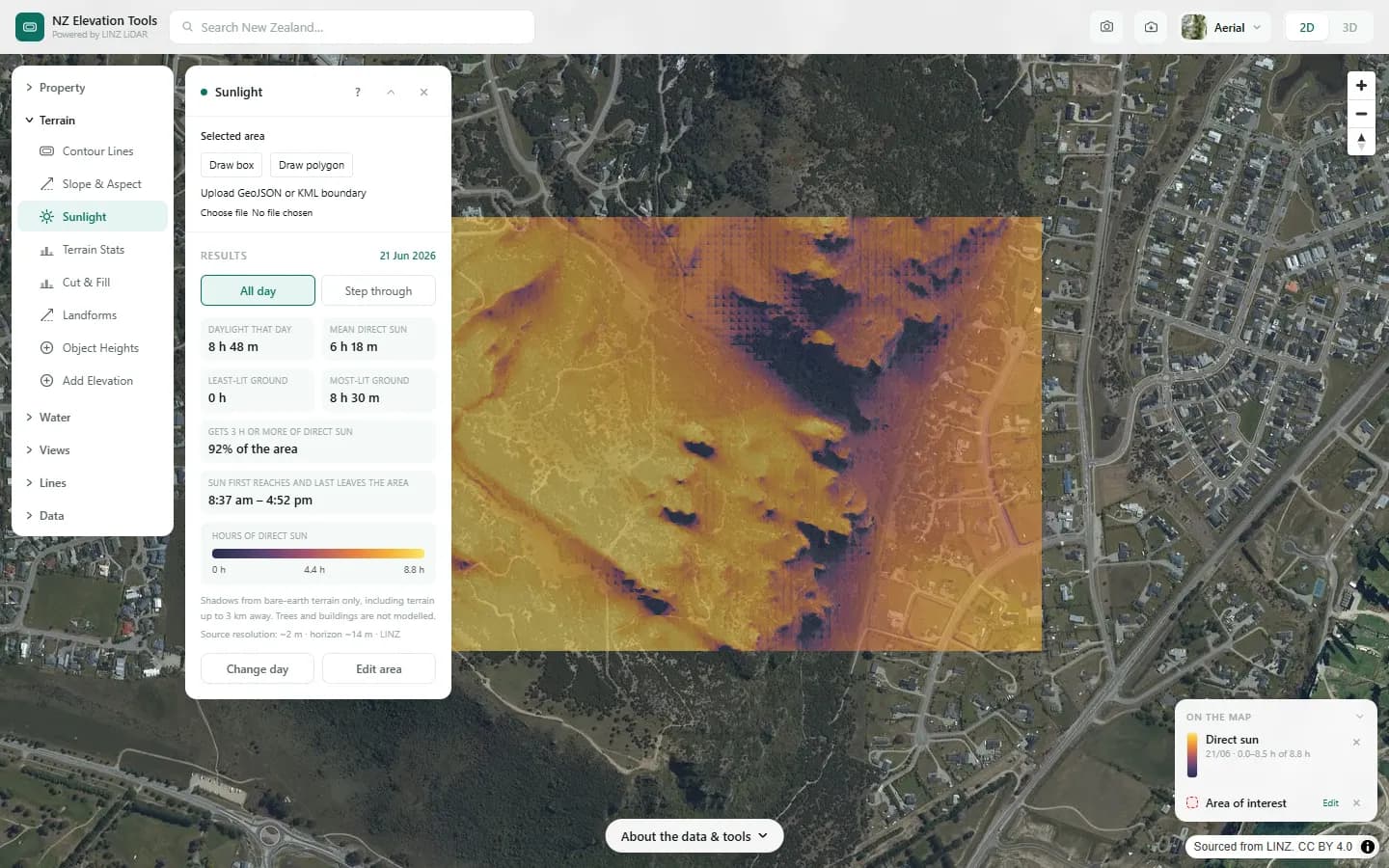
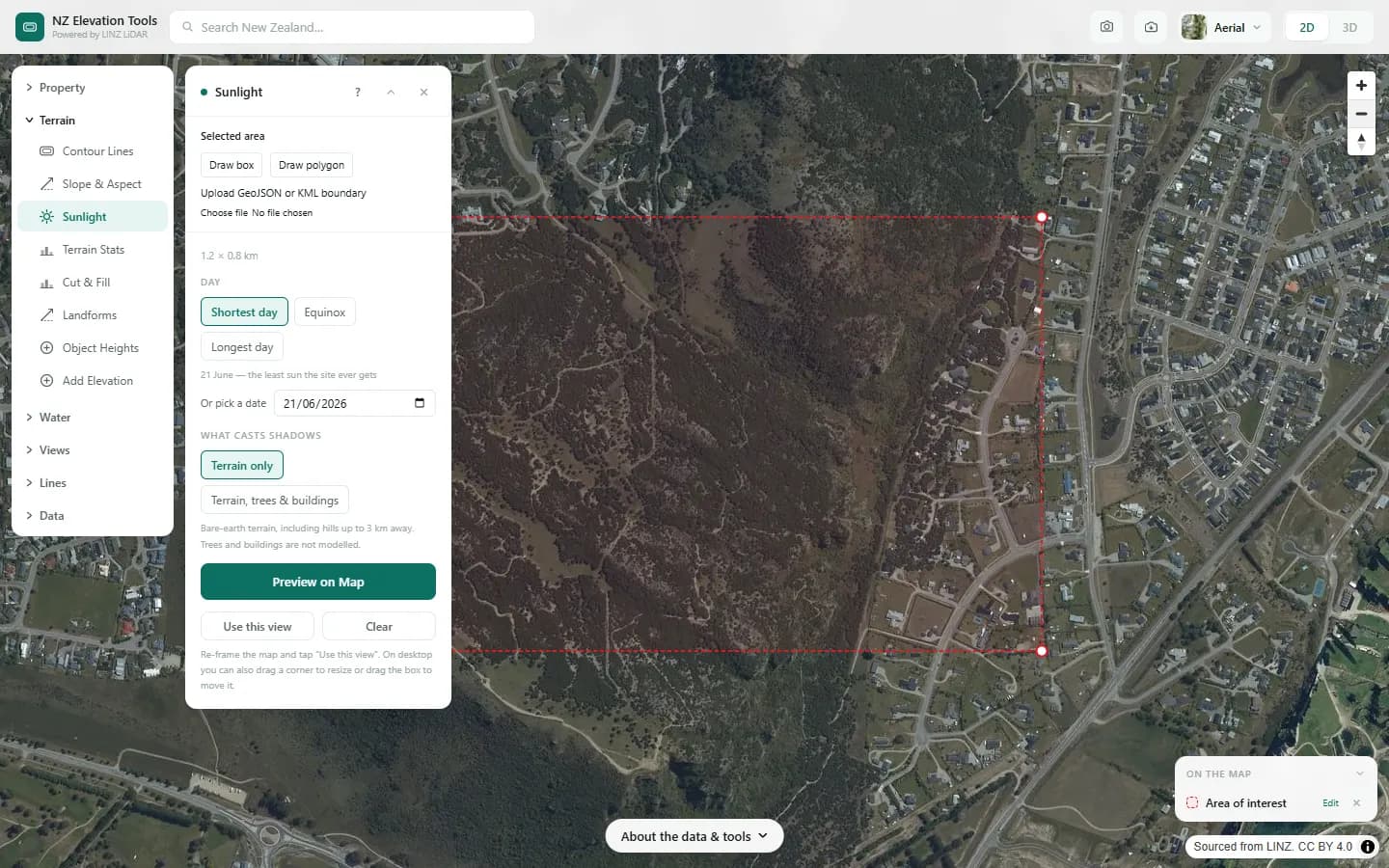
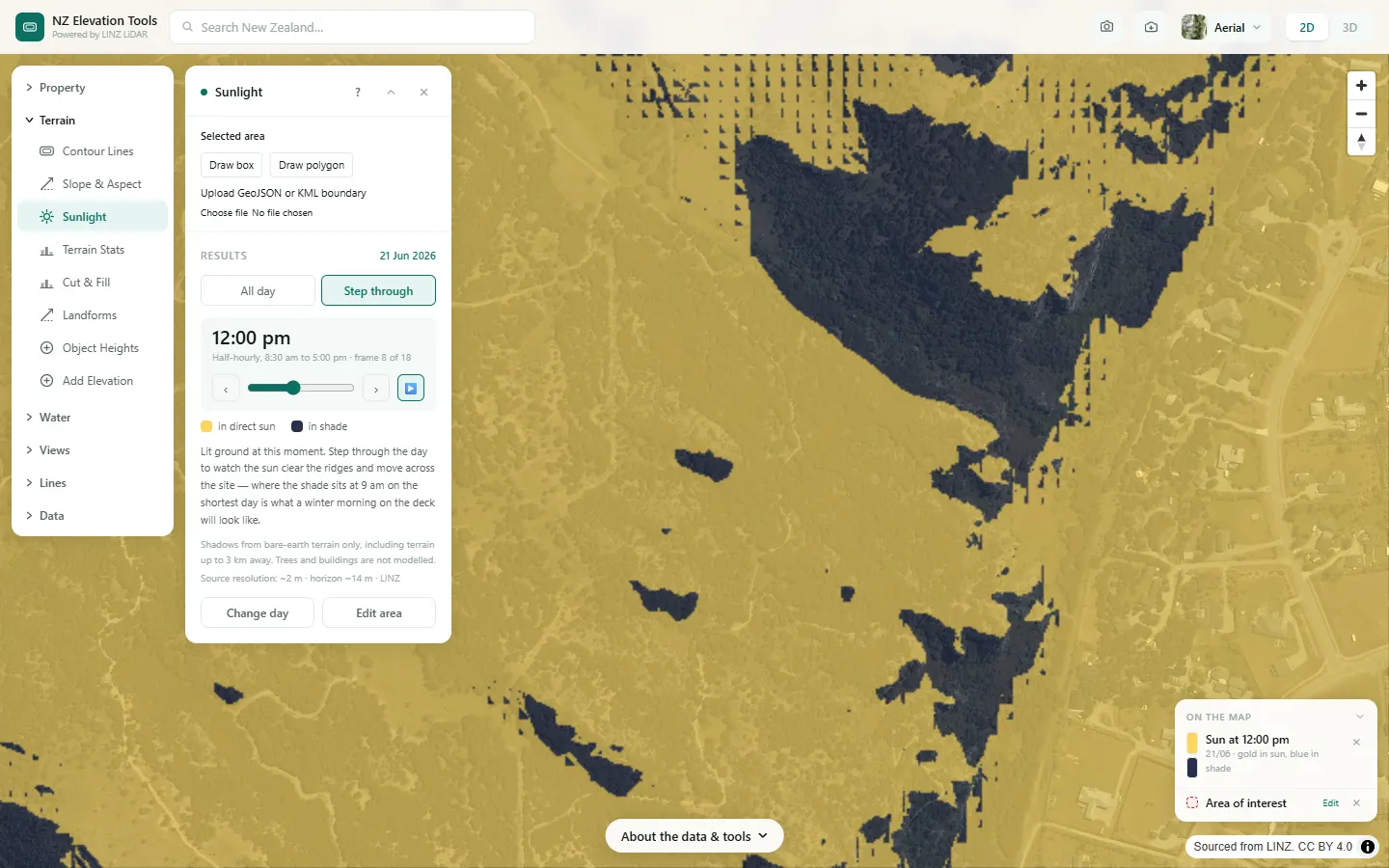
We model the shortest day, 21 June, across Mt Iron and the houses on its eastern side.
What it showed
- North faces with an open horizon get the most winter sun; the south-west flank sits in the hill's own shadow for much of the day.
- Switch on trees and buildings, where LiDAR has been flown, to include the shade from shelterbelts and neighbours.
Screenshots from NZ Elevation Tools. Aerial imagery from LINZ Basemaps. Sourced from the LINZ Data Service and licensed by Environment Southland, Otago Regional Council and Queenstown-Lakes District Council for re-use under the Creative Commons Attribution 4.0 International licence.
How it works
The sun's position is computed for the chosen date at each half-hour step. For every cell the tool traces a ray toward the sun and checks whether any terrain within 3 km rises above it. If nothing blocks the ray the cell is lit for that step.
Hours of sun are the count of lit steps. With the surface option the LiDAR surface model, which includes canopy and roofs, is used as the blocking surface instead of bare ground.
Reading the results
Winter (21 June) is the test that matters for a house site. A north-facing slope with an open northern horizon will show the most hours.
First and last sun are the clock times the sun first clears and finally drops behind the horizon for that cell.
Limits and warnings
- Direct sun only. Cloud, haze and diffuse light are not modelled.
- Shadows from things further than 3 km away, such as a distant range, are ignored. In deep valleys the true horizon may be further out.
- The surface model is only available where LiDAR has been flown, and shows trees as they were on the capture date.
Data and attribution
Results come from the LINZ national 1 m LiDAR bare-earth elevation model, read in your browser, with the national 8 m model filling any gaps. Tools that use the surface model (Sunlight, Viewshed, Object Heights) read the matching LiDAR surface tiles.
Elevation and cadastral data is sourced from the LINZ Data Service and licensed for re-use under the Creative Commons Attribution 4.0 International licence. Copyright in each LiDAR survey belongs to the body that commissioned it — a regional or district council, Waka Kotahi, NIWA and around thirty others — rather than to LINZ, which hosts and processes the national dataset. Every file exported from this site names the licensors whose surveys cover the area, and anything you publish from those files carries the same attribution requirement. See https://www.linz.govt.nz/products-services/data/licensing-and-using-data/attributing-elevation-or-aerial-imagery-data
Questions
Does it include shade from trees and neighbouring houses?
Yes, if you choose the LiDAR surface option where it exists. The trees are as they stood on the LiDAR capture date. The bare-ground option shows terrain shading only.
Does it account for cloud?
No. It models direct sun on a clear day. Cloud, haze and diffuse light are not included.
Ready to try it?
Open Sunlight on the map →Free to use, no account. Runs in your browser on LINZ open data. Downloading the results needs a pass: see prices.