Water · Select a property, draw a box or polygon, or upload a boundary
Drainage map for your property: where water flows and ponds
This drainage map for your property shows where water flows across the ground in heavy rain and where it will pond once the hollows fill. Channels are drawn as an ordered stream network from the LINZ 1 m LiDAR model; ponding areas come with depth, area and volume.
Council viewers show overland flow paths but rarely how much water a low spot holds. This shows both, clipped to your boundary, and exports the flow paths as GeoJSON or KML for a drainage designer.
Free to run · pay to download
See the full result on the map free, with no account. Download the drainage channels as GeoJSON or KML with a pass: NZ$49 for 7 days or NZ$299 for 12 months, one-off, GST included, not a subscription. Every download on the site is included while the pass lasts.
Who uses this
- Landowners. Find where water runs and sits before siting a house, shed or driveway.
- Drainage and landscape designers. Plan swales, soak holes and culverts on real flow paths.
- Farmers. See which gullies carry the most water and where paddocks pond.
When to use it
- Finding where water runs across a block after heavy rain, and which gullies carry the most.
- Locating low spots that will hold water, for drainage design or to avoid siting a building there.
- Planning culverts, swales and fence crossings.
Which tool for your job
Water & Drainage is one step in a bigger question. These are the jobs it helps with, and the tools that go with it.
If you’re working on buying a section or lifestyle block
What is the ground like, and how does it compare with the others on my list?
- 1.Property — Selects the legal parcel so every other tool is clipped to the boundary.
- 2.Property Report — A PDF with contours, slope, aspect, winter sun, drainage and elevation for that one parcel.
- 3.Saved Properties — Up to five places side by side: elevation, slope, winter sun and drainage.
- 4.Water & Drainage (this tool) — Where water will run and pond across the block in heavy rain.
If you’re working on drainage, flooding and wet ground
Where does the water go, and where will it sit?
- 1.Water & Drainage (this tool) — The drainage channels across an area, and where water ponds once hollows fill.
- 2.Wetness Map — Which parts of a paddock the shape of the land keeps wet.
- 3.Catchment — All the land that drains to one culvert, gully or low corner.
- 4.Landforms — Hollows, valleys and footslopes at a glance: where water gathers.
How to use it
- Select a property, draw an area or upload a boundary.
- Run. Switch between the stream network and ponding views in the panel.
- Export the channels as GeoJSON or KML to open in GIS or Google Earth.
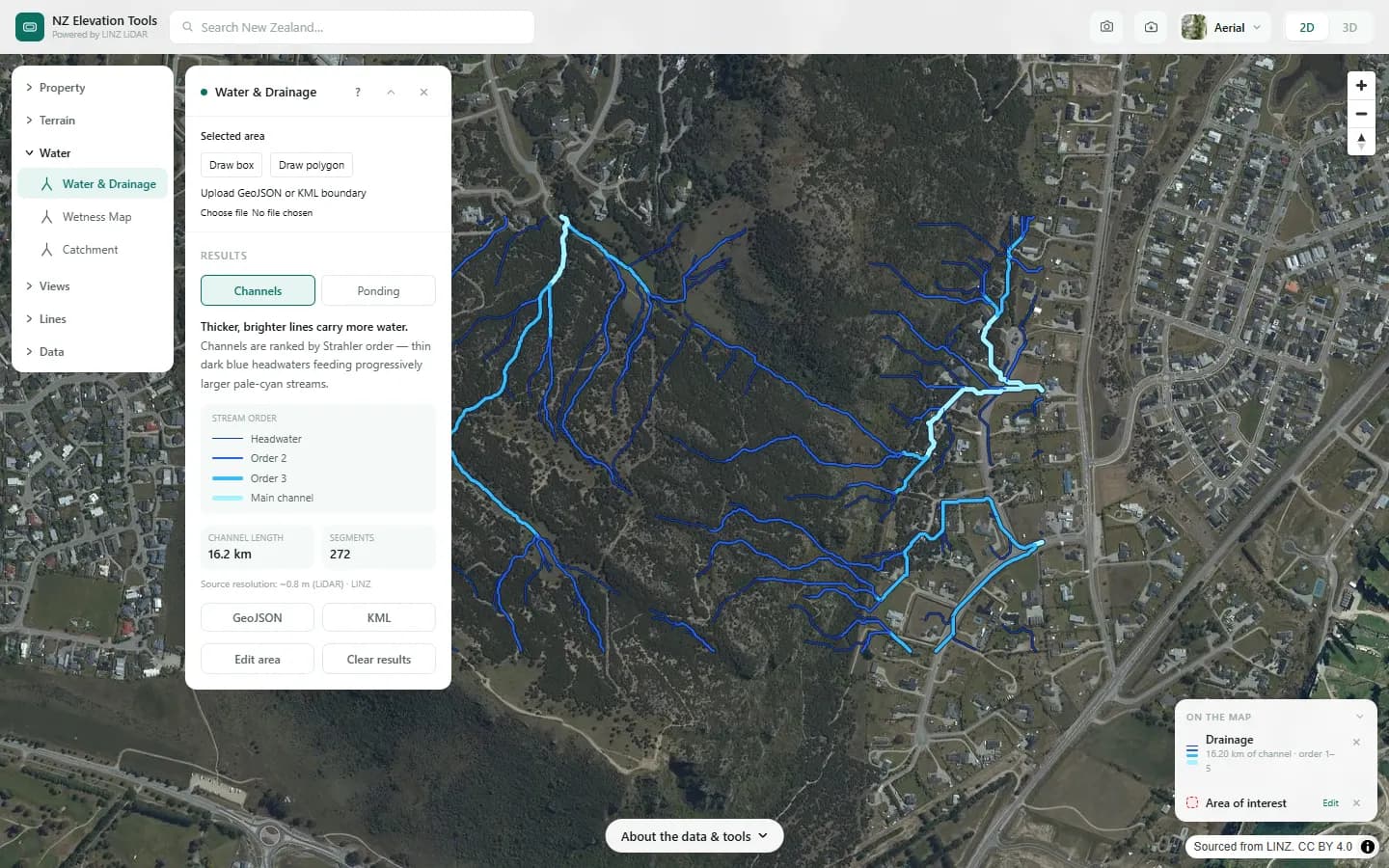
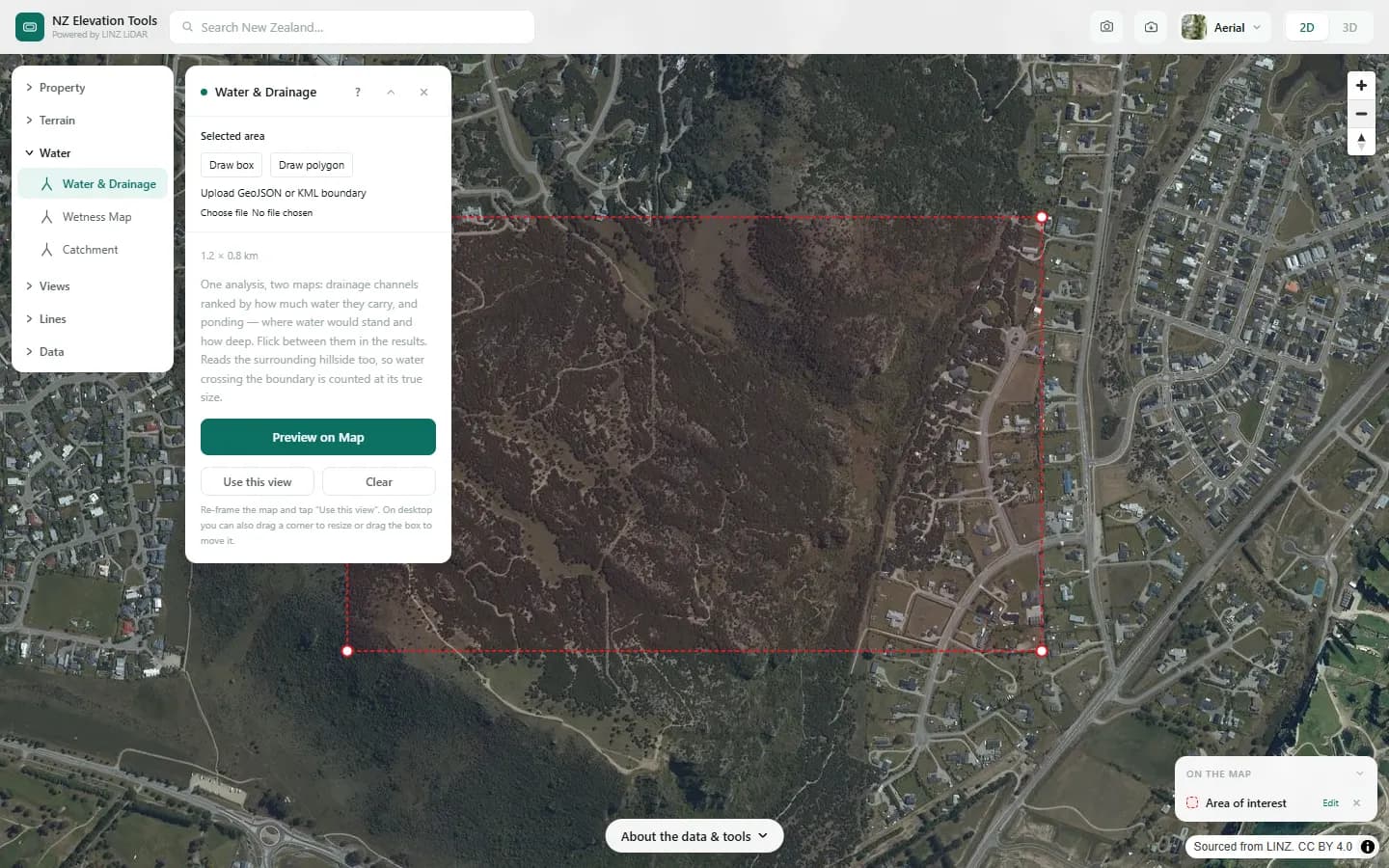
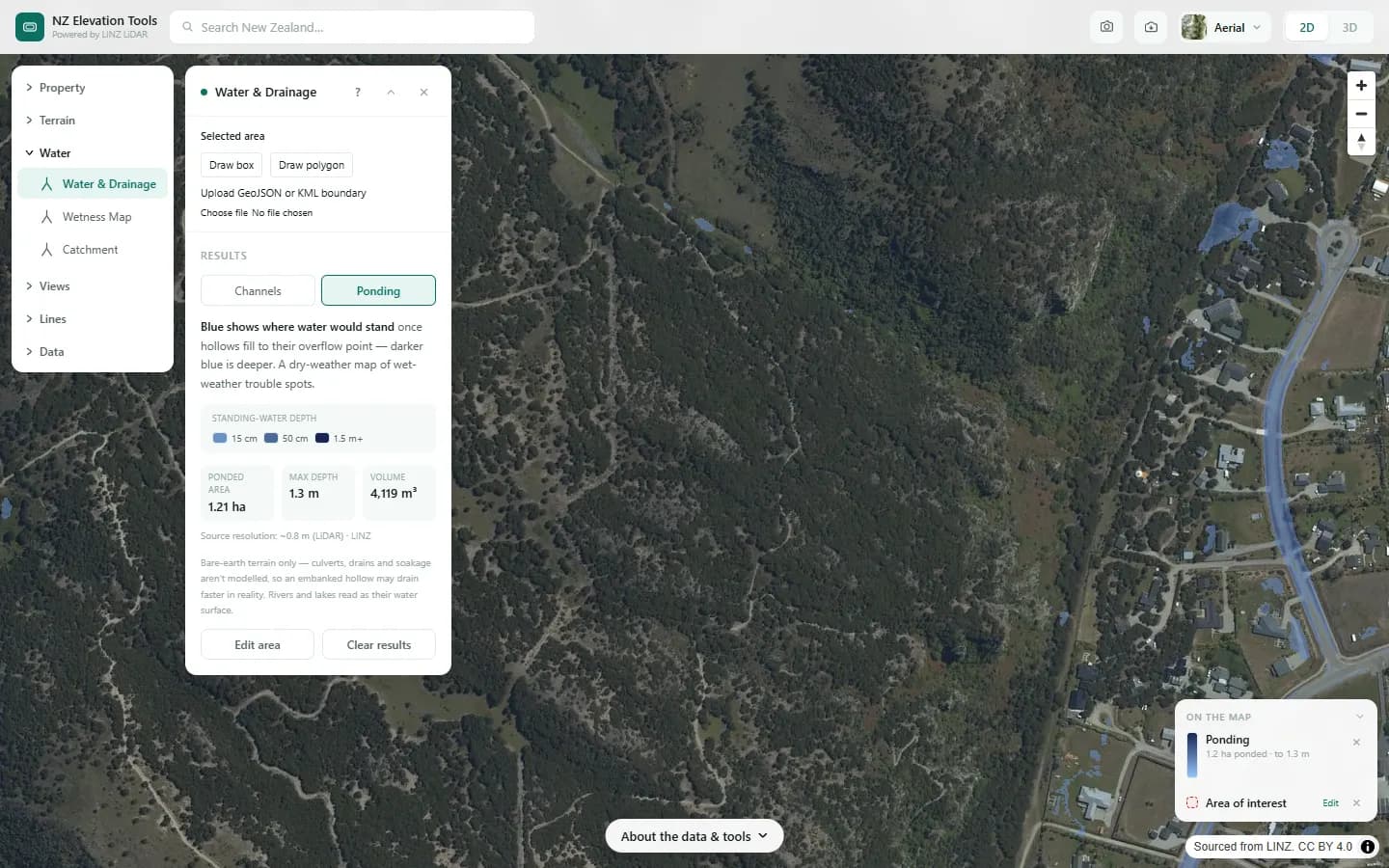
Step by step: Mt Iron, Wānaka
We trace where rain runs off Mt Iron and where it would pond.
What it showed
- Check where the main channels leave the hill before siting a building, a driveway or a septic field.
- Culverts and pipes are not in the terrain, so treat ponding behind embankments as a place to check, not a prediction.
Screenshots from NZ Elevation Tools. Aerial imagery from LINZ Basemaps. Sourced from the LINZ Data Service and licensed by Environment Southland, Otago Regional Council and Queenstown-Lakes District Council for re-use under the Creative Commons Attribution 4.0 International licence.
How it works
Small pits in the LiDAR bare-earth model are filled so water can always find a way downhill. Each cell then passes its water to its steepest neighbour, and the number of upstream cells is counted for every cell. Cells that collect more than a threshold are drawn as channels and ranked by Strahler order, where two first-order streams meeting make a second-order stream.
Ponding compares the filled surface with the original ground: wherever the fill raised the ground, water would stand there, and the difference is the depth.
Reading the results
Thicker, higher-order lines carry more of the area's water. First-order lines are the small feeder gullies.
Ponding depth, area and volume describe the hollow when full. Real ponds drain into the soil and evaporate, so these are upper bounds.
Limits and warnings
- Culverts, pipes, stopbanks and open drains that are narrower than the sampling are not in the terrain, so water is routed over roads and through embankments.
- Channels are cut off at the edge of the area. Use Catchment to see where a channel's water comes from beyond the boundary.
- Where 1 m LiDAR has not been flown the tool falls back to the national 8 m elevation model, and the result says what share came from the fallback. The 8 m model was interpolated from 20 m map contours and is not fit for site-scale decisions.
Data and attribution
Results come from the LINZ national 1 m LiDAR bare-earth elevation model, read in your browser, with the national 8 m model filling any gaps. Tools that use the surface model (Sunlight, Viewshed, Object Heights) read the matching LiDAR surface tiles.
Elevation and cadastral data is sourced from the LINZ Data Service and licensed for re-use under the Creative Commons Attribution 4.0 International licence. Copyright in each LiDAR survey belongs to the body that commissioned it — a regional or district council, Waka Kotahi, NIWA and around thirty others — rather than to LINZ, which hosts and processes the national dataset. Every file exported from this site names the licensors whose surveys cover the area, and anything you publish from those files carries the same attribution requirement. See https://www.linz.govt.nz/products-services/data/licensing-and-using-data/attributing-elevation-or-aerial-imagery-data
Questions
Is this a flood map?
No. It shows where terrain sends water and where it can sit, not flood depths for a given storm. For flood hazard, check your council's flood maps and the LIM.
What does it miss?
Culverts, pipes, stopbanks and open drains narrower than the sampling are not in the terrain, so water is routed over roads and through embankments. Check the result against what you see on site.
What is an overland flow path?
The route surface water takes when the ground and pipes cannot soak it up fast enough. Many councils flag them on LIMs; this map shows the same idea from the terrain itself.
Ready to try it?
Open Water & Drainage on the map →Free to use, no account. Runs in your browser on LINZ open data. Downloading the results needs a pass: see prices.