Terrain · Select a property, draw a box or polygon, or upload a boundary
Tree and building heights from LiDAR, anywhere in New Zealand
Measure tree and building heights from LiDAR: the tool subtracts the LINZ bare-earth model from the LiDAR surface model, cell by cell, leaving the height of everything standing on the ground. The result is a canopy height map for trees, hedges and roofs.
Useful for shelterbelt shading, blocked views and line-of-sight questions, and for seeing what stands on a block before a visit.
Free to run · pay to download
See the full result on the map free, with no account. Download the object height grid as a GeoTIFF with a pass: NZ$49 for 7 days or NZ$299 for 12 months, one-off, GST included, not a subscription. Every download on the site is included while the pass lasts.
Who uses this
- Arborists. Screen tree heights across a property or a street.
- Planners and neighbours. Get approximate building and hedge heights for a shading or view question.
When to use it
- Checking shelterbelt or tree heights for shading, view or line-of-sight questions.
- Getting approximate roof heights across a neighbourhood.
- Seeing what stands on a block before visiting.
Which tool for your job
Object Heights is one step in a bigger question. These are the jobs it helps with, and the tools that go with it.
If you’re working on solar panels and sun
Where will panels, a glasshouse or a deck get the most sun?
- 1.Sunlight — Hours of direct sun on any date, with terrain shadows from up to 3 km away. Start with the shortest day.
- 2.Slope & Aspect — The aspect view shows which faces point north, and the slope view how steep the mounting ground is.
- 3.Find Matching Areas — Highlights the ground that is flat enough, faces the right way and clears a minimum of winter sun, all at once.
- 4.Object Heights (this tool) — Tree and building heights, to spot shelterbelts that will shade the array.
If you’re working on views, privacy and line of sight
What can I see from here, and what can see me?
How to use it
- Select a property, draw an area or upload a boundary.
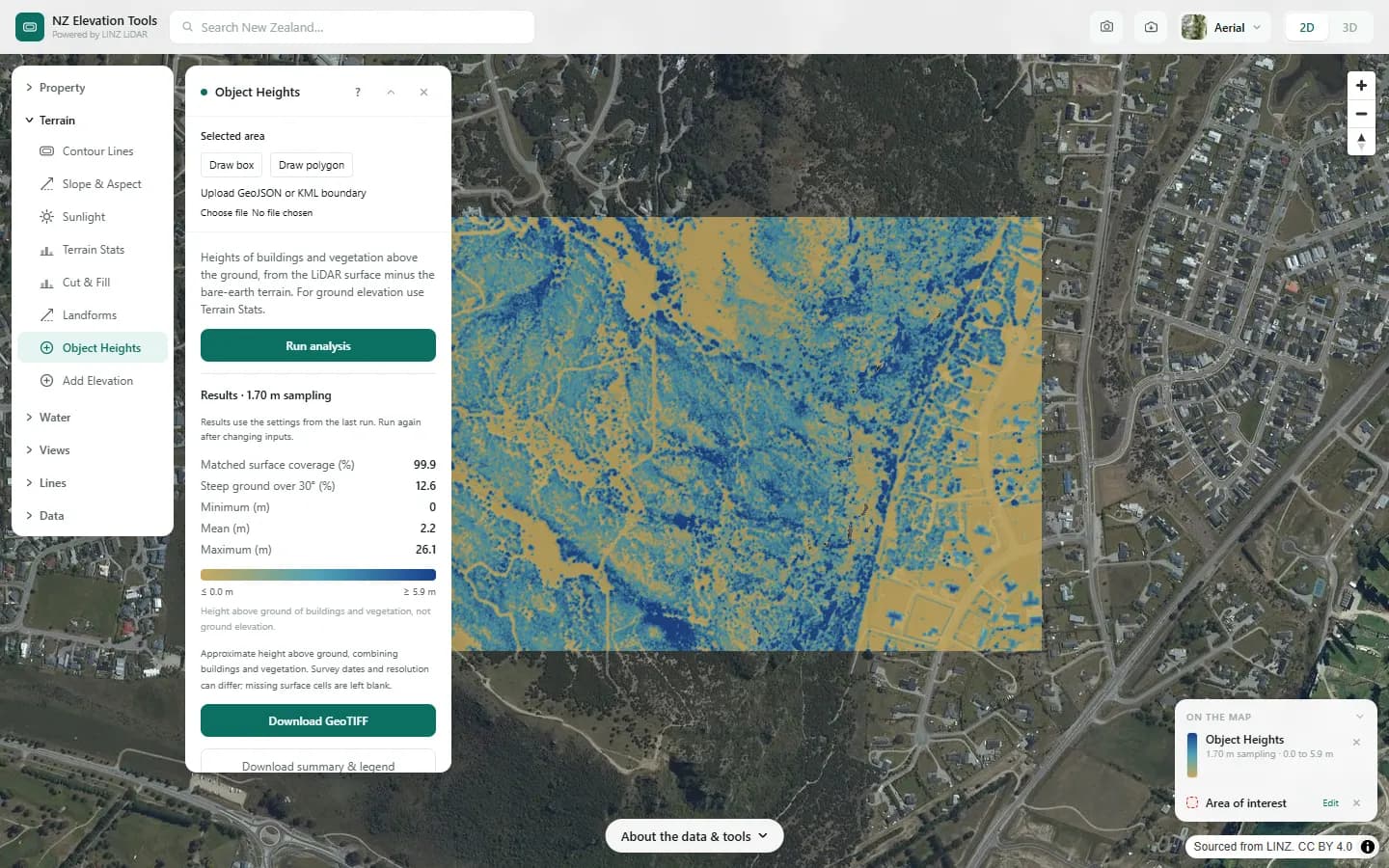
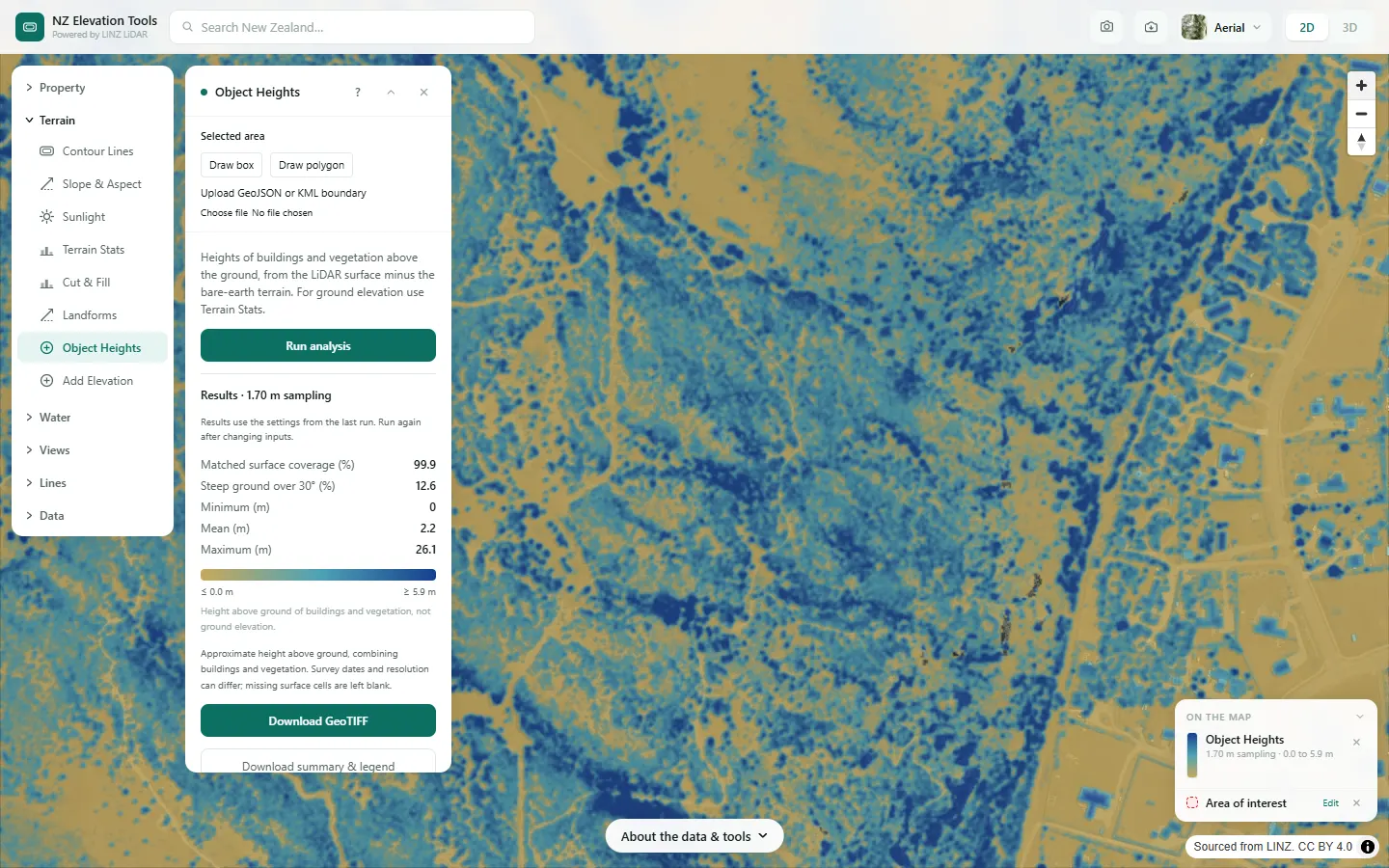
- Run. Heights are drawn from tan (nothing above ground) to deep blue (tallest).
- Read the coverage, the minimum, mean and maximum in the panel. For ground elevation use Terrain Stats instead.
Step by step: Mt Iron, Wānaka
We measure trees and houses around the foot of Mt Iron from the LiDAR surface model.
What it showed
- Buildings and trees are not told apart; compare with the aerial photo.
- Heights are as of the LiDAR flight. Trees planted or felled since will not show.
Screenshots from NZ Elevation Tools. Aerial imagery from LINZ Basemaps. Sourced from the LINZ Data Service and licensed by Environment Southland, Otago Regional Council and Queenstown-Lakes District Council for re-use under the Creative Commons Attribution 4.0 International licence.
How it works
LiDAR surveys publish two models: the bare earth with everything stripped off, and the surface, which is the top of whatever the laser hit first. Subtracting one from the other, cell by cell, leaves the height of trees, buildings and other objects.
Cells with no surface data, an obvious no-data value, or a surface below the ground are left blank. The colour scale is stretched between the 2nd and 98th percentile so a single tall tree does not wash out the rest.
Reading the results
Values are metres above ground, not elevation. A 2 m reading on a paddock is a fence line or a hedge; a 25 m reading is a mature tree or a two-storey building plus roof.
Buildings and vegetation are not told apart. Use the aerial basemap to see which is which.
Limits and warnings
- Only where LiDAR has been flown, and only as things were on the capture date.
- Over cliffs, rock and ice the two models diverge for reasons unrelated to objects. The tool warns when most of the area is steeper than 30 degrees, and readings there should be ignored.
- The surface and bare-earth models can come from different dates in the same area.
Data and attribution
Results come from the LINZ national 1 m LiDAR bare-earth elevation model, read in your browser, with the national 8 m model filling any gaps. Tools that use the surface model (Sunlight, Viewshed, Object Heights) read the matching LiDAR surface tiles.
Elevation and cadastral data is sourced from the LINZ Data Service and licensed for re-use under the Creative Commons Attribution 4.0 International licence. Copyright in each LiDAR survey belongs to the body that commissioned it — a regional or district council, Waka Kotahi, NIWA and around thirty others — rather than to LINZ, which hosts and processes the national dataset. Every file exported from this site names the licensors whose surveys cover the area, and anything you publish from those files carries the same attribution requirement. See https://www.linz.govt.nz/products-services/data/licensing-and-using-data/attributing-elevation-or-aerial-imagery-data
Questions
Can it tell trees from buildings?
No. It reports height above ground. Use the aerial basemap to see which is which.
How current are the heights?
They are as of the LiDAR capture date, which differs by region. Trees grow and buildings go up; check the survey year in the result.
Ready to try it?
Open Object Heights on the map →Free to use, no account. Runs in your browser on LINZ open data. Downloading the results needs a pass: see prices.